
How to run a rugby club without spreadsheets
The spreadsheet is not the enemy. The trouble starts when it becomes the only place where the club’s memory lives, and that memory belongs to one person.
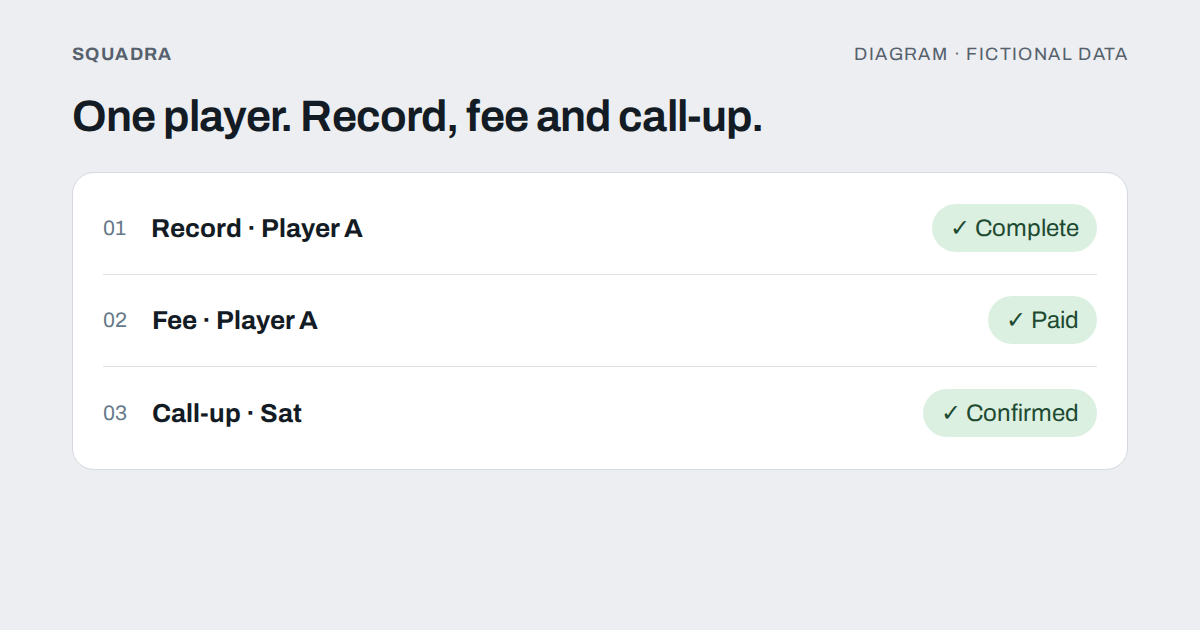
Most amateur rugby clubs run on the same three things: a spreadsheet that one person understands, a group chat that everyone else lives in, and the memory of whoever has been there longest. It works for years. Then the treasurer steps down, or the club adds a second category, or a parent asks a question about consent and nobody knows where the answer is written.
This guide is a plan for getting out of that situation without losing a season on the way. It works with any tool, including a better-organised spreadsheet, and it ends with an honest note about where Squadra fits.
What the spreadsheet is actually doing for you
Before replacing anything, list what it does. In most clubs it is quietly doing five different jobs:
- Player records. Names, dates of birth, positions, shirt numbers, phone numbers, guardians.
- Fees. Who owes what, who has paid part, who is late.
- Call-ups. Who is available for Saturday, usually copied from messages.
- Line-ups. The fifteen, the bench, and who plays where, usually in a different file.
- Communication. Not in the spreadsheet itself, but in the group chat that sits next to it and disagrees with it.
Five jobs in one place is why it is hard to leave: there is no single thing to replace. The trick is to separate them first.
Step 1: write down the questions the club needs to answer
A system is only as good as the questions it can answer. Before choosing a tool, write the ten questions people actually ask in a season. Typically:
- Who is in the squad this season, and in which category?
- Who has not paid, and how much?
- Who is available on Saturday, and who has not answered?
- Who is the guardian of this player, and what has been consented to?
- Who played in the last match, in which position, and who scored?
- How much did we spend on travel and referees this year?
- Who can see the medical information of the players?
If a tool cannot answer most of your list without an afternoon of manual work, it is not an improvement.
Step 2: one list of people, in one place
The most important change, and the cheapest, is to have one place where every person is recorded once. Every other list (fees, call-ups, line-ups) should refer to that list, not copy it.
A usable record for a rugby player holds:
- Name and a way to contact them (or their guardian, for a minor).
- Date of birth. It decides whether you need a guardian at all, so it is not optional.
- Main and secondary position. A prop who can cover hooker is information a coach uses every week.
- Shirt number.
- Category or team.
Anything else (height, weight, emergency contacts, medical notes) should be decided deliberately, one field at a time, and with a clear idea of who is allowed to read it. The usual error is a shared spreadsheet where the link-holder sees everything, including data about minors. That is worth solving before the tool, not after.
If players fill in their own record when they join, rather than a coach typing it in, you get fewer mistakes and nobody has to chase twenty people for a date of birth.
Step 3: fees as a ledger, not a colour
Colouring cells green and red works until the first part payment. Then a parent pays 80 of 150 and the colour has nothing to say.
A fee record needs, at minimum:
- A concept: season fee, licence, a tour, kit. Mixing them in one column is why «how much did we spend on travel?» takes an afternoon.
- An amount and an amount paid so far, so a part payment is a number and not a note.
- A status that the record itself calculates: pending, partly paid, paid, overdue.
- A date and who recorded the payment.
Decide as well whether the club collects money through the tool or simply records it. Many clubs only need the second: the money moves by transfer or cash as it always has, and the record is what stops the arguments. Keep expenses (referees, buses, federation, kit) in their own record, with the receipt attached, separate from what members pay.
For the treasurer’s replacement in three years’ time, write down on one page what each concept means and who decides the amount. It is the document that is almost never written and almost always needed.
Step 4: call-ups as a list with states
Move the question «who can play on Saturday?» out of the group chat. A call-up is a list of people with a status for each: yes, no, no answer yet. A «no» should carry a reason, so the staff can tell a work shift from a sore calf.
Two design decisions save you a lot of trouble:
- Call up the whole category first, then pick the squad. Choosing the fifteen before you know who is available means redoing it three times.
- Keep the answer separate from the attendance. Who said they would come and who actually came are two facts. The difference is the only honest measure of commitment over a season.
There is a longer treatment in the guide to call-ups without the group chat.
Step 5: build the line-up from the people who confirmed
The line-up is the part clubs most often keep in a separate file, retyped every week. It should come out of the call-up: the confirmed players, with the shirt number and position from their record, already in place, so that your job on Friday is to move people, not to type names.
A line-up check worth having, whatever the tool: fifteen starters, a shirt number on each, and a position on each. It sounds trivial. It is the mistake that appears on the team sheet ten minutes before kick-off.
If you share the line-up as an image for players and families, do it from the same record, so it cannot disagree with the one the coach is using.
Step 6: separate the announcements from the conversation
A group chat mixes three kinds of message: official notices («training is cancelled»), logistics («who has the bibs?») and banter. The notices get lost, and that is the one thing a club cannot afford.
Separate them, with any tool:
- An announcements channel where only the staff post and everyone reads.
- One conversation per team or category, for logistics and banter.
- Direct messages for anything that concerns one person.
And for under-18s, decide in writing who can talk privately with a minor. A single adult messaging a child alone is a situation clubs avoid by design, not by good intentions.
Step 7: move in a quiet week, and run both for a month
The worst moment to switch is mid-season, and the second worst is the week before the first match. The least painful plan:
- Close the current season in the spreadsheet. All the way. Do not try to migrate five years of tabs built on different criteria; archive them as a PDF.
- Start the new season in the new system, registering each person once.
- Run both for one month. Record in both, compare, and fix the mismatches while you still can.
- Retire the old one on a date you announce, not by letting it fade.
Tell people what changes for them in two sentences each: players, parents, coaches, treasurer. Four short messages are better than one long explanation that nobody reads.
What to keep in a spreadsheet
Do not throw the spreadsheet away out of principle. It is still the right tool for a one-off calculation, a quick budget scenario, an event with a list of forty items, or anything that has one author and one purpose. The goal is not «no spreadsheets». It is that the club’s core records (people, fees, call-ups, line-ups) do not live in one.
Where Squadra fits, and where it does not
This section is about one specific tool, so read it as such.
Squadra covers the steps above for a rugby or American football club:
- One record per person: the player provides their date of birth, height and weight; whoever manages records assigns the main and secondary position and the shirt number. For minors, guardians and consents: the legal guardian gives them from their own portal, or the club does when it collects the paper form.
- Fees with a concept, an amount, part payments and status, recorded by the club; and a separate treasury for expenses, with receipts and a CSV export for the accountant.
- Call-ups with the three answers and a reason, attendance recorded separately, and a match created from the call-up with the line-up pre-filled with the players who confirmed. In rugby the line-up can be exported as a shareable image that warns you if a shirt number or position is missing, or if the starters are not fifteen.
- Channels for the club, category or team, announcement channels where only whoever manages them posts, and direct messages.
- Permissions per person, category and role, so that, by default, the president manages the club without reading anybody’s medical record. The guide on who sees what in a club app explains the reasoning.
What it does not do: it does not move money or collect fees (it records them), it does not send phone push notifications today (notices appear inside the app), and a club is of a single sport. To get your data out, fees and treasury export to CSV; do not assume everything does, and ask for exactly what you need before you commit.
The honest test
Pick a Monday, and without asking anyone try to answer: who owes the club money, who is playing on Saturday, and who is the guardian of the youngest player? If any of those needs a phone call, your club’s memory is still in someone’s head.
Start with the one that hurts most. For most clubs it is fees; for the rest it is the call-up. The rest follows once the first one works. If money is where it hurts, read getting the club out of Excel next.