
Getting the club out of the treasurer’s spreadsheet
The problem with the club spreadsheet is not the spreadsheet. It is that only the person who built it understands it, and that person steps down in June.
· updated on
Almost every amateur club starts the same way: one tab per team, one column per month, green for paid, red for pending. And it works. It works with thirty members and a treasurer who has been in the job four years.
It breaks in the same place every time: the club grows, or the treasurer leaves. Usually both in the same summer.
The five classic failures, in order of appearance
1. The ghost row. Somebody left in November and their row is still there. It gets dragged through three seasons, it throws the totals off, and nobody dares delete it just in case.
2. The payment counted twice. One income line that appears in the fees tab and in the treasury tab. It isn’t an addition error: the same fact is written in two places and nothing forces them to agree.
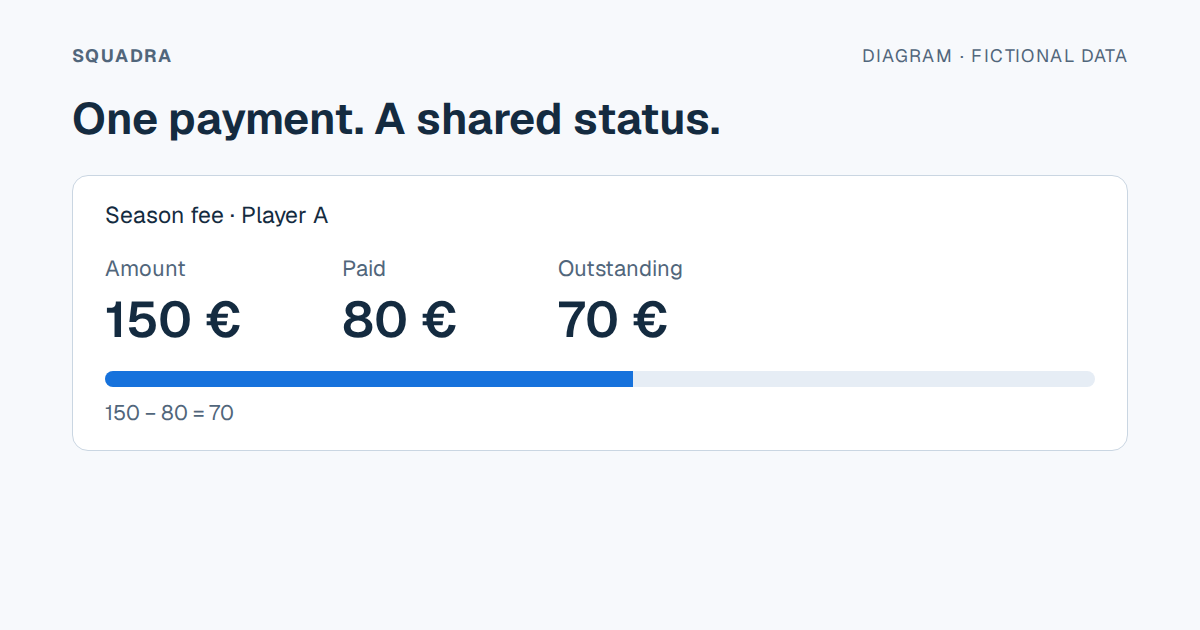
3. The part payment. A parent pays 80 of the 150. In a spreadsheet that gets solved with an invented colour, or a note in a comment nobody sees when filtering.
4. Mixed categories. Season fee, federation licence, away-game coach and kit all end up in the same column called «payments», and when somebody at the AGM asks how much was spent on travel, the answer is an afternoon’s work.
5. The version. fees_2026_FINAL_v3_ok.xlsx. Everyone knows how that ends.
What to decide before migrating to anything
Migrating without deciding this just moves the problem somewhere else:
- What is a member and what is a player. They don’t always match. A player on a scholarship who pays no fee is still a player. A member who never plays still pays.
- What the billing unit is. Per season, per term, per month. Getting this wrong forces you to redo the categories halfway through the year.
- Who gets to see the money. In a shared spreadsheet, whoever has the link sees everything: every member’s fees and what each coach is paid. That’s the most common privacy failure in an amateur club, and nobody treats it as a failure until it surfaces.
- What happens with minors. Who the guardian is, what they consented to, and where that is recorded. In a spreadsheet, it is recorded nowhere.
How to migrate without losing the season
Don’t migrate the history. It’s the temptation and it’s the mistake. Five seasons of tabs built on different criteria don’t get cleaned up: they get archived.
- Close the current season in the spreadsheet. All the way. Migrate nothing.
- Start the next one in the new system, signing members up from scratch.
- Keep the old spreadsheet as a PDF as well as in its own format. In three years nobody will
open an
.xlsxfull of macros, and the PDF will still open. - Run both for a month. Record in both places and compare. If they don’t match, you still have time to work out why.
The question to ask any tool
Before putting a whole season into something, ask this and demand a concrete answer:
How do I get all of my data out if I leave?
If the answer is «we have an export» without saying of what, in what format, and whether it comes out complete, then the answer is no. One CSV of the fees and one of the treasury, complete and with every row, is the minimum a club should ask for before signing anything.
And if the tool tells you the export can be truncated but it warns you when that happens, that is a better sign than an unqualified yes: it means somebody thought about the bad case.