
Club call-ups without the WhatsApp chain
A group is a conversation. A call-up is a list. Confusing the two is why, at ten on Friday night, nobody knows how many are turning up tomorrow.
· updated on
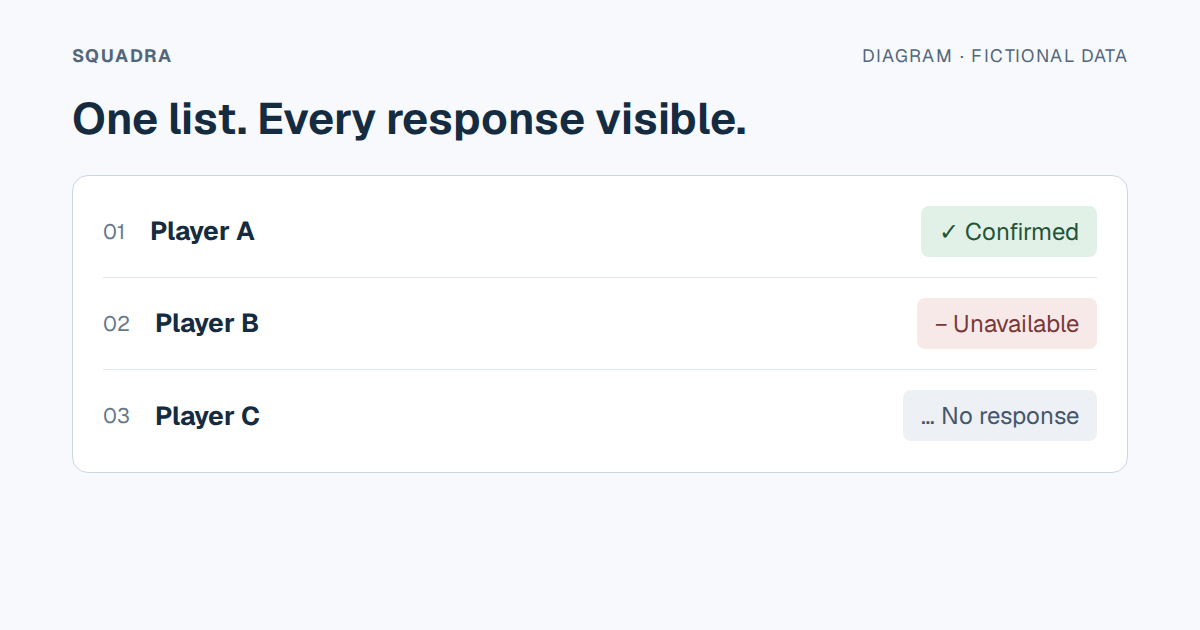
The team manager writes on Tuesday: «Saturday, 10am, municipal pitch, please confirm». By eleven at night there are thirty-one messages, four thumbs-up, two «I think so», a ninety-second voice note and a photo of somebody’s dog. On Saturday, eighteen turn up.
When confirmations are scattered across messages, it helps to collect them in a list of people with a status for each call-up. There are different ways to maintain that list; the important part is keeping it connected to the event and the people called up.
Three tasks when responses are scattered
1. Collect confirmations. A “yes” among messages about boots means reviewing the conversation to add it to the list. Agree where people should answer and who maintains the record.
2. Identify who has not answered. Compare responses with the list of people called up. A vote total alone does not say whether team members are missing or someone outside the call-up has voted.
3. Distinguish a poll from managing the call-up. It is inaccurate to say WhatsApp polls only show a number: in groups, hiding voter names is an option. WhatsApp also supports searching for polls and notifications of new votes. Check how your process connects each response to the event, category, people still to answer and reasons for absence. A notification that someone has voted is different from a selective reminder to someone who has not answered.
These statements refer to group polls; they do not assume the same visibility for anonymous or channel polls. Check the settings for the type of poll you plan to use. Official sources checked on 24 September 2026: the option to hide voter names and poll search and vote notifications.
What a call-up has to do to be worth anything
Without naming a tool yet. If you build this in a shared spreadsheet and it works, go ahead:
- It lives with the event. Date, time, venue and answers in one place. If you have to open something else to know who’s coming, you’ve already lost.
- It has three states, not two. Yes, no, and hasn’t answered yet. The third one is where the work is, so it’s the one to see first.
- A no carries a reason. Not to police anyone: so the staff can tell «I’m working Saturday» from «my calf hurts», which are very different problems, and one of them belongs to the S&C coach.
- It goes to the right group. The senior side doesn’t need the colts’ fixtures. Call up the whole club and half of them learn to ignore notices, and from then on they read none of them.
- It reminds on its own. The day before, to whoever hasn’t answered, without anyone having to remember to chase.
The design mistake nearly everyone makes
Calling up forty and hoping twenty-three sign up is not the same as picking twenty-three and telling them. The second looks tidier and it’s a trap: it forces you to pick the squad before you know who is available, and you end up redoing it three times.
What works is calling up the whole category, seeing who can make it, and deciding afterwards. Availability is an input, not a consequence.
If the club has minors
Everything changes. The person answering isn’t the player, it’s the guardian; you need it on record who that is and what they have consented to; and a group chat with twelve kids and their parents is, on top of being ungovernable, a data-protection problem no club wants.
Whatever you build has to allow for the person who answers and the person who plays being different people.
And an honest test of whether your system works
Ten o’clock on Friday night, without opening your phone and without asking anyone: do you know how many are coming tomorrow, and who still hasn’t answered?
If the answer is «I’d have to check», it doesn’t matter what tool you use. You haven’t solved it yet.