
Rugby team schedule app: what a club needs
A rugby fixture list is easy. The hard part is everything hanging off it: who is called up, who answered, who turned up, and what changed on Thursday night.
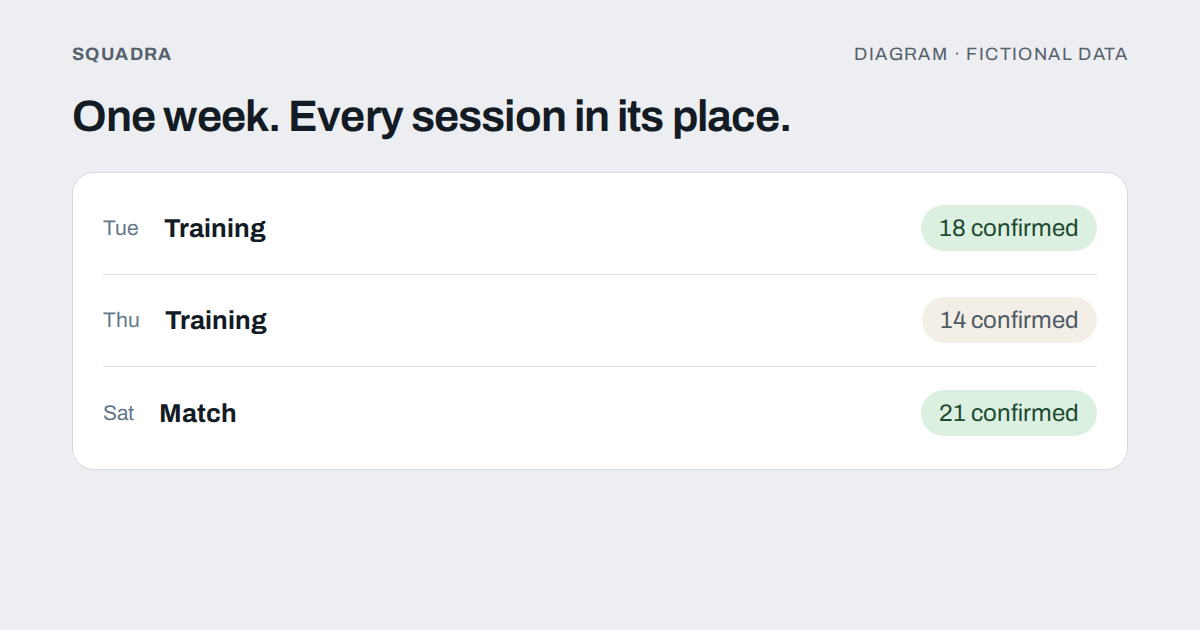
Ask a rugby club secretary what the schedule is and they will say «Tuesday and Thursday training, match on Saturday». Ask what they spend their week doing and the answer is different: chasing confirmations, moving a session because the pitch is waterlogged, telling thirty people, and then telling the six who missed the message.
That gap is what a team schedule app is supposed to close. This guide is about what that means for a rugby club in practice, how to choose without being dazzled by a feature list, and, first of all, when you do not need an app at all.
First: do you actually need one?
Often not. A shared calendar and one spreadsheet is a perfectly good system when all of these are true:
- You run one team, with roughly twenty to thirty people involved.
- One person keeps the list and everyone else is happy to answer that person.
- Everyone involved is an adult, so there is no guardian to reach and nothing to record about consent.
- Nobody asks you for history: who trained in October, how often someone missed, who has been injured this season.
- A changed session costs you one message, not a chain of them.
If that is your club, stop reading and go and train. A tool you do not need is one more thing to keep updated.
The signs you have outgrown it are more specific than «we got bigger»:
- You have two or more categories and one person is answering questions meant for another.
- You have been asked, more than once, «is training still on?», and the honest answer is «let me check».
- The same fixture lives in three places (the calendar, the group chat, a spreadsheet) and they disagree.
- A coach leaves in June and nobody else knows how the list was built.
- You have under-18s, and parents are answering on behalf of their children.
Two or three of those and the cost of the current system is already higher than the cost of a better one.
What a rugby club really schedules
A generic «events» tool treats every entry as the same thing. A rugby season is not uniform:
- Recurring training, usually the same days from pre-season to the end of the season, with exceptions (the pitch is closed, a bank holiday, a fixture that clashes).
- Matches, which are not just a date: they have an opponent, a home or away venue, a squad of fifteen starters and a bench, and a result that someone has to record.
- Gym and conditioning sessions, which may be for forwards only, backs only, or individuals.
- Meetings and social events, which involve people who are not in the playing squad at all.
- Travel, where the number of people matters, because a coach seats a fixed number.
A schedule that cannot tell these apart pushes the difference back onto you: you end up writing «(FWDS ONLY)» in the title and hoping.
Eight things a schedule app has to do well
1. Recurring events with exceptions
You should be able to create «Tuesdays and Thursdays, October to May» once. More importantly, you should be able to change one session without damaging the rest, and to choose between «only this one», «this one and the following ones» and «the whole series». Without that, a recurring schedule becomes forty separate events that you edit by hand, and eventually you stop trusting it.
2. The call-up is separate from the event
An event says what and when. A call-up says who. Keeping them apart lets you create next month’s fixtures now and decide the squad on Thursday, and lets you call up a subset (the forwards, the under-16s, the people travelling) without creating a second event.
3. Three answers, not two
«Yes», «no» and «hasn’t answered». The third one is where the work is, so it should be the one you see first. A tool that only shows who said yes forces you to compare against a list yourself.
4. A reason when someone cannot come
Not to police anyone. A coach needs to tell «I’m working on Saturday» from «my calf is sore», because they are different problems and the second one belongs to the physio or the conditioning coach.
5. It reaches the right people only
If every notice goes to the whole club, people learn to ignore notices. The senior side does not need the under-14s’ fixtures. Scope the call-up to the category or the group that needs it.
6. Changes tell people on their own
When you move a session, everyone called up should find out without you writing to anyone. This is the single feature that saves the most time, and the one most often missing from a shared calendar, which updates silently and leaves people turning up at the old time.
7. It fits the calendar people already use
Most people will not open a new app every time they want to know when training is. Being able to subscribe a personal calendar to the club’s schedule, so that sessions appear on the phone next to everything else, matters more than a good-looking interface.
8. Attendance is recorded afterwards, and it is not the same as the answer
Somebody who confirmed on Wednesday and was absent on Saturday is not the same as somebody who declined. Recording who actually turned up, separately from who said they would, is what lets you answer, at the end of the season, questions about commitment without arguing from memory.
Questions to ask before choosing anything
Do not compare feature lists. Ask each option these, and expect concrete answers:
- Who can create or change an event? If the answer is «anyone in the club», you will get tidy-looking chaos.
- What happens to a minor? Who answers for them, and where is it recorded?
- What do players see about each other? A player seeing who else is coming is useful. A player seeing another player’s absence reason or injury is not.
- What happens to the history? Can you look back at last season’s attendance, or does it vanish?
- How do people find out about changes? By push notification, by email, only inside the app? Ask, because each has different failure modes.
- Can I get my data out? A complete export of what you entered is the minimum before committing a season to any tool.
- How is it priced? Per player, per team, per club? A per-player price quietly punishes the clubs that grow.
- Who is it built for? A tool made for every sport tends to treat rugby as «a sport with events». Check that it knows what a squad of fifteen plus a bench means.
How to test it for a real week
Do not decide from a demo. Take one real week (two trainings and a match) and run both systems in parallel. At the end of the week answer three questions:
- Did everyone who needed to know about the changes actually know?
- On Friday night, could you say how many are coming on Saturday and who has not answered?
- How long did it take you to set up and to maintain?
If the new tool does not win clearly on the second question, it has not solved your problem yet.
Where Squadra fits, and where it does not
This section is about one specific tool, so read it as such.
Squadra is built for rugby and American football clubs. For the points above, this is what it does:
- Recurring series with the choice of changing this session, this and the following ones, or all of them; changing the date, time or venue re-notifies those called up.
- Call-ups by category, or to groups built from positions or created by the staff, so the whole squad is not notified every time.
- Three answers, plus a reason when someone declines, which the staff can mark as excused or not.
- A personal calendar subscription that carries only the events you are called up to.
- Attendance recorded separately from the answer: the staff marks present, absent, excused absence or late for each person called up.
- A match created from the call-up, with the line-up pre-filled with the players who confirmed, and live scoring with rugby events. There is more detail in recording a live match.
What it does not do today: it does not send phone push notifications, so notices appear inside the app when people open it; each club is for a single sport; and it records, but does not collect, payments. If your priority is the phone buzzing the moment a session moves, check that before anything else.
The honest test
On Friday night, without opening a chat and without asking anyone: do you know who is playing tomorrow, who has not answered, and whether the session on Tuesday is still on?
If you need to check three places to answer, the schedule exists in several versions, and that is the problem to fix, whatever tool you use. If you want to see how a call-up behaves in practice, the guide to call-ups without the group chat goes through it step by step.